
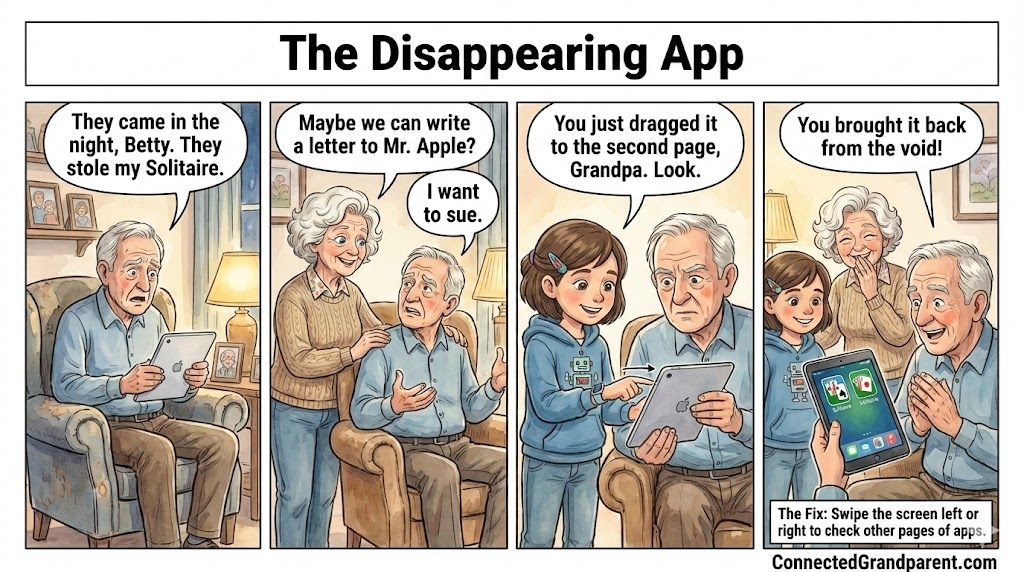
The Case of the Missing Solitaire:
How to Find Lost Apps on Your Tablet
The Phantom App Panic
When Apps Play Hide-and-Seek
Imagine this: Burt, “our tech-savvy” grandpa, was all set for his morning Solitaire game when he realized his app had vanished. Panic set in, and Betty suggested writing to Mr. Apple. But fear not! Your apps are just hiding, not gone. Follow our guide to bring them back.

Burt's App Adventure
It’s a common scenario: you’re ready to relax with your favorite app, only to find it missing. But don’t worry, it’s not lost forever. Let’s explore how to retrieve it effortlessly.
The Whoopsie Slide:
What Actually Happened?
Modern touch screens can be tricky. Sometimes, a simple swipe can make apps seem to disappear, much like turning a page in a book. Burt learned this the hard way, but with a little guidance, he found his way back to his beloved Solitaire.
Step 1
Stay Calm and Breathe
First things first, take a moment to relax. Your app is not lost forever, and your device is perfectly safe.
Step 2
Perform the Magic Swipe
Gently place your finger on the screen and swipe from right to left. This action will reveal the next page of apps on your device.
Step 3
Search for the Missing App
Carefully scan each page for your app. If it’s not on the first swipe, continue swiping until you find it.
Step 4
Bring It Back Home
Once you spot your app, press and hold the icon until it wiggles. Drag it to the left side of the screen to move it back to the first page.

💡 Emma’s Tech Tip!
Hey, Grandparents! Emma here.
-
Put your finger in the middle of the screen and pull Straight Down.
-
A search bar will appear at the top.
-
Type ‘Solitaire’ (or whatever is missing).
-
Tap the icon when it appears in the list.
Bonus:
💡 A Little Extra Help from Emma
Emma suggests organizing your apps into folders. This way, you can keep similar apps together, making them easier to find. To create a folder, drag one app over another and release it. Name your folder and add more apps as needed.
Remember, you can always use the search feature on your device. Swipe down from the middle of the home screen to bring up the search bar. Type the name of the app, and it should appear in the results.
The Bottom Line
Technology Made Simple
Don’t let technology intimidate you. With a few simple swipes and taps, you can easily find your missing apps. Remember, practice makes perfect, and soon you’ll be navigating your device like a pro. If Burt can master it, so can you!